
When setting up a new AdWords account or taking over an existing account we always insist that clients allow us to link the account (if it isn’t already) to the website’s Google Analytics profile and here are the very important reasons why:
All that great AdWords data is visible within Analytics
Once the two Google accounts are linked, as long as URLs have been manually tagged or auto-tagging is enabled, the AdWords data can be found within Analytics. This means that it is easy to see which campaigns and keywords are driving traffic and directly compare the quality of that traffic with other traffic sources.
All that great Analytics data is visible within AdWords
Advertisers may think that if they have conversion tracking set up, using AdWords conversion code, then they have visibility of what keywords and ads are working and which ones aren’t, but this doesn’t always show the entire picture. If Google AdWords and Analytics are linked then you can see data such as bounce rate and average time on site, so if ads are not converting you can dig a little deeper and see a bit more about what users are doing when they get to the site. Are they engaging with the site, even if they are not converting, or are they bouncing straight away? You’ll only know this if the two accounts are linked to one another.
Easily import goals and/or eCommerce data into AdWords from Analytics to track conversions
Sometimes it can be difficult to add conversion tracking code to a site, for various reasons, but with Google Analytics linked this is not a necessity. Using Google Analytics goals or eCommerce data means that you do not have to trouble the dev team with adding more code to the site. You can simply set up destination URL goals (if the form you are tracking has a thank you page) or for eCommerce sites, you can pull in the Analytics sales data and easily see which keywords and ads are generating sales/leads.
It makes remarketing dead easy
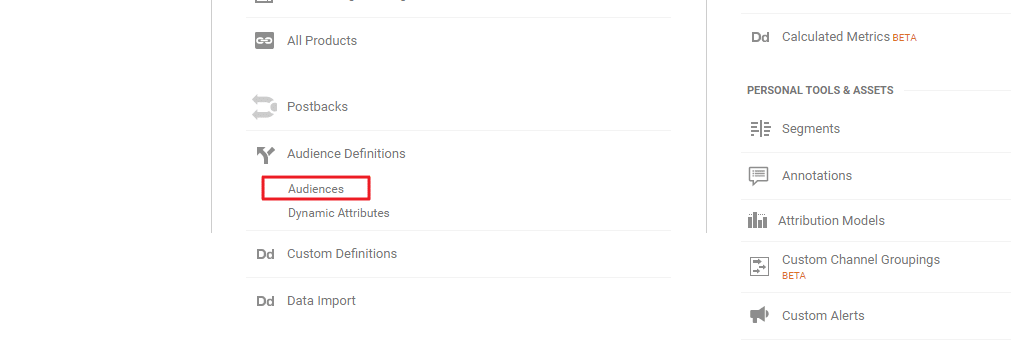
Again, if adding code to the site is a problem, remarketing audiences can be created using Google Analytics if the two accounts are linked. Simply visit the admin section of Analytics, click on the Audience Definitions drop down and select Audiences and +New Audience and then the audience list will be available in AdWords to add to remarketing display campaigns or for RLSA.
See which of your sitelinks are actually being clicked
Within the AdWords section of Google Analytics there is a sitelinks report which shows which of your sitelinks are being clicked on and driving people to your site.
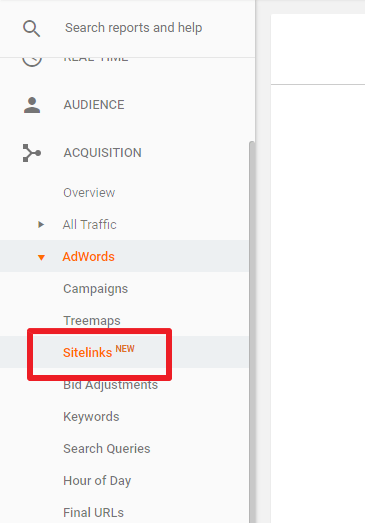
This information isn’t available in AdWords, you can see clicks for sitelinks, but these are clicks when that sitelink was present, not necessarily on that specific sitelink. This is, therefore, a handy report to be able to access.
Explore trends visually with AdWords Treemaps
In Google Analytics, there is a feature in the AdWo